Podcast
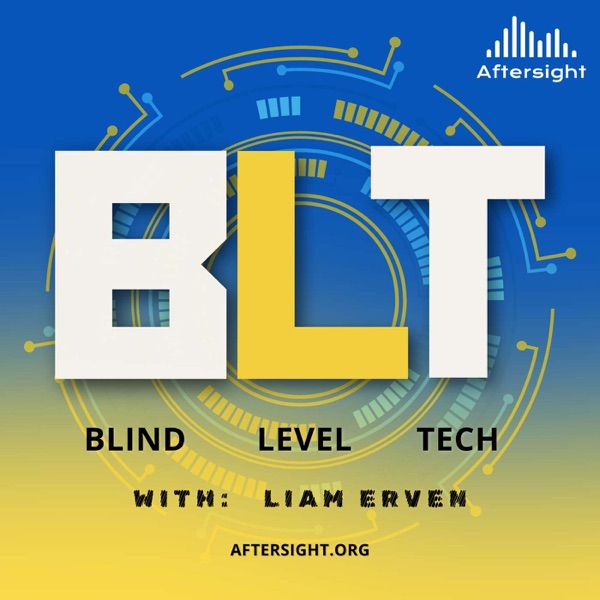
Blind Level Tech
Where accessibility meets innovation. Hosted by Liam Erven, Blind Level Tech explores the latest in assistive technology, accessible design, and everyday tools that empower the blind and low-vision community. Each episode dives into real stories, expert insights, and practical solutions—from screen readers and AI tools to mobility tech and inclusive apps. Whether you’re blind, low vision, a professional in the accessibility space, or simply curious about how technology is reshaping lives, this show offers fresh perspectives and actionable takeaways.
Produced by Aftersight, Blind Level Tech is more than a tech podcast—it’s a platform for inclusion, discovery, and possibility.
- Tech News chart
- #163
- Episodes
- 207
- Releases
- Weekly
- Typical length
- 27 min
- On air since
- 2023
- Latest episode
- 2 weeks ago
Episodes
207 episodes, newest first
-
41 min
Your AI Is Lying to You. This One Refuses To.
Season 3, Episode 45
Show notes
Episode Summary
Shopping for clothes online can be frustrating for anyone, but when you're blind or have low vision, choosing the right size, matching colors, and knowing how an outfit will look can become a guessing game. What if technology could finally change that?
In his first episode as the new host of Blind Level Tech, Liam Erven welcomes Mike Bamonte, co-owner and CEO of Dress Aloud. Inspired by a conversation with a close friend who lost his vision, Mike set out to build an AI-powered tool that gives blind and low-vision shoppers more independence, confidence, and control over their clothing choices.
Dress Aloud combines personal measurements, product information, virtual try-on technology, and detailed audio-friendly descriptions to help users understand how clothing might fit and look before making a purchase. Unlike AI tools that simply tell users what they want to hear, Dress Aloud is designed to acknowledge uncertainty, flag missing sizing information, and recommend a different size or even skipping a purchase when appropriate.
Mike also demonstrates the technology live, discusses privacy and accessibility, and shares how user feedback is shaping its development. The conversation expands into another of his projects, Tape Territory, a free audio-described movie platform featuring accessible watch parties.
From clothing and confidence to accessible entertainment, this episode explores what can happen when developers listen to the people they're trying to serve.
Explore the resources:
• Dress Aloud: https://dressaloud.com
• Tape Territory: https://tapeterritory.com
• Contact Mike: mike@dressaloud.com
• AfterSight: https://aftersight.org
• Become a guest: https://aftersight.org/guest/Subscribe to Blind Level Tech for conversations about accessible technology, innovation, and the tools helping people who are blind or have low vision live more independently.
Episode Chapters
Approximate timestamps based on the supplied transcript.
00:05 Liam Erven's First Episode
01:26 Introducing Dress Aloud
03:46 The Problem That Inspired the Technology
06:28 Why AI Needs to Tell the Truth
08:53 How Dress Aloud Evaluates Clothes
11:48 Matching Colors and Outfits
14:16 Live Demonstration
18:15 Shopping Independence and Privacy
21:25 Free Trials and Listener Opportunities
23:07 Improving the Technology Through Feedback
25:49 Introducing Tape Territory
29:49 The Personal Impact of Accessible Technology
33:29 What's Next for Dress Aloud
37:24 How Listeners Can Get Involved• (00:05) - Liam Erven's First Episode
• (01:26) - Introducing Dress Aloud
• (03:46) - The Problem That Inspired the Technology
• (06:28) - Why AI Needs to Tell the Truth
• (08:53) - How Dress Aloud Evaluates Clothes
• (11:48) - Matching Colors and Outfits
• (14:16) - Live Demonstration
• (18:15) - Shopping Independence and Privacy
• (21:25) - Free Trials and Listener Opportunities
• (23:07) - Improving the Technology Through Feedback
• (25:49) - Introducing Tape Territory
• (29:49) - The Personal Impact of Accessible Technology
• (33:29) - What's Next for Dress Aloud
• (37:24) - How Listeners Can Get Involved -
19 min
Start Small, Make Something: An Accessible Guide to Music Production
Season 3, Episode 38
Show notes
Getting into music production does not have to begin with an expensive microphone, audio interface, MIDI controller, or professional studio. In this solo episode of Blind Level Tech, Evan Starnes offers a practical introduction to making music and working with audio—especially for blind and low-vision creators.
Creators & Guests• Evan Starnes - Host
-
15 min
Meet Liam Erven: A New Era of Blind Level Tech
Season 3, Episode 44
Show notes
Blind Level Tech is entering an exciting new chapter, and we're introducing the voice who will help lead the way! Jonathan Price welcomes Liam Erven as the new host of Blind Level Tech, bringing his passion for accessible technology, education, and a little humor to the Aftersight family.
Liam shares his vision for the future of the podcast, focusing on making complicated technology understandable, approachable, and useful for people who are blind or have low vision. From artificial intelligence and accessibility innovations to everyday smartphone tips, Liam wants to help listeners build their own toolbox of practical technology skills.
Jonathan and Liam also preview what's coming to BLT, including conversations with innovative guests, hands-on technology demonstrations, and quick BLT Byte episodes. Liam shares a few examples of the accessibility features he loves teaching, including customizable iPhone VoiceOver gestures and AI-powered image descriptions that can make digital content more accessible.
Plus, Jonathan announces the upcoming nationwide expansion of Aftersight's free White Cane Project, introduces BLT's updated logo, and shares how listeners can become part of the show's next chapter.
New host. Fresh ideas. The same commitment to making technology accessible to everyone.
Show Credits
Show: Blind Level Tech (BLT)
New Host: Liam Erven
Special Episode Host: Jonathan Price
Producer: Jonathan Price
Production: Aftersight
Featured Guest: Liam Erven
Contact Information
Aftersight
• Website: https://aftersight.org
• Email: Jonathan@Aftersight.org
• Feedback and tech tips: feedback@aftersight.org
• Phone: (720) 712-8856
• Become a Guest: https://aftersight.org/guest/00:05 Welcome to a New Chapter of Blind Level Tech
00:20 Aftersight's Nationwide White Cane Project
00:53 What's Happening Across Aftersight Podcasts
01:25 Introducing New BLT Host Liam Erven
02:05 Liam's Passion for Technology
03:36 Making Accessible Technology Less Intimidating
05:56 The Future of Blind Level Tech
06:46 Learning New Skills and Building Your Tech Toolbox
07:48 Customizing iPhone VoiceOver Gestures
08:21 AI Image Descriptions and BLT Bytes
09:57 A Fresh Look for Blind Level Tech
11:47 Liam's Invitation to Future Guests
12:15 A Little Musical Theater Humor
13:35 Connect with Aftersight and Join the Conversation• (00:05) - Welcome to a New Chapter of Blind Level Tech
• (00:20) - Aftersight's Nationwide White Cane Project
• (00:53) - What's Happening Across Aftersight Podcasts
• (01:25) - Introducing New BLT Host Liam Erven
• (02:05) - Liam's Passion for Technology
• (03:36) - Making Accessible Technology Less Intimidating
• (05:56) - The Future of Blind Level Tech
• (06:46) - Learning New Skills and Building Your Tech Toolbox
• (07:48) - Customizing iPhone VoiceOver Gestures
• (08:21) - AI Image Descriptions and BLT Bytes
• (09:57) - A Fresh Look for Blind Level Tech
• (11:47) - Liam's Invitation to Future Guests
• (12:15) - A Little Musical Theater Humor
• (13:35) - Connect with Aftersight and Join the Conversation -
48 min
The Future of Low Vision Tech: Inside Innovega’s Smart Glasses
Season 3, Episode 43
Show notes
Episode Summary
What if one pair of glasses could replace the magnifiers, phone tricks, telescopic lenses, and other tools many people with low vision rely on every day?
On this episode of Blind Level Tech, Jonathan Price sits down with Corrinalyn Guyette, Strategic Growth and Partnerships at Innovega, and Joseph, Innovega’s Chief Marketing Officer, for an in-depth look at the company’s upcoming vision-enhancement technology.
Innovega’s smart glasses are not designed to cure blindness or restore vision. Instead, the company says they are designed to enhance a person’s existing functional vision through features including magnification, zoom, brightness and contrast adjustments, color inversion, and a camera-driven display. The team explains why a person’s diagnosis alone may not determine whether the glasses will be useful, and why the better question is whether tools such as magnification, contrast enhancement, or zoom already provide benefit.
Corrinalyn and Joseph also share stories from early demonstrations, including users being able to read, recognize family members, watch television, play cards, and interact with their surroundings in new ways. Much of the conversation centers on a word that has repeatedly surfaced during Innovega's testing: hope.
The conversation gets into the nuts and bolts as well: Innovega's Founder Series preorder, anticipated early-2027 shipping, phone compatibility, the wired first-generation design, screen mirroring, AI features under development, microphones and speakers, and the company's longer-term work involving smart contact lenses.
Jonathan also asks an important accessibility question: how does a company developing promising technology make sure the people who could benefit from it can actually afford it? Innovega discusses HSA/FSA eligibility, potential sponsorship opportunities, work with low-vision clinics, and other possible pathways intended to broaden access.
This episode is a detailed look at emerging low-vision technology, what it can potentially do, what it cannot do, and why Innovega believes listening directly to the blind and low-vision community is essential to developing it.
Credits
Host: Jonathan Price
Guests: Corrinalyn Guyette and Joseph — Innovega
Producer: Jonathan Price
Podcast: Blind Level Tech
Organization: AftersightContact & Resources
Aftersight
Website: aftersight.org
Email: jonathan@aftersight.orgInnovega
Website: innovega.io
Email: social@innovega.ioInnovega also directs listeners to its website for information about its Founder Series, consultations, webinars, preorder information, and applications for in-person demonstrations.
• (00:00) - Welcome to Blind Level Tech & the Search for a New Host
• (00:55) - Meet Corrinalyn Guyette and Joseph from Innovega
• (02:15) - What Is Innovega Trying to Solve?
• (05:36) - Building Vision Technology People Actually Want to Wear
• (07:02) - What the Smart Glasses Can and Cannot Do
• (08:01) - Turning Everyday Low-Vision Tools Into Wearable Technology
• (10:04) - A Hands-On Look at the Glasses
• (11:23) - Who Could Benefit from Innovega?
• (15:20) - Corrinalyn’s Most Impactful Demonstration
• (17:51) - Joseph on Testing, Emotion, and Hope
• (20:36) - How User Feedback Is Shaping the Technology
• (24:28) - Vision Loss, Isolation, and Staying Engaged With Life
• (26:52) - Features Requested by the Low-Vision Community
• (27:09) - Price, Preorders, and Expected Availability
• (30:27) - Android, iPhone, Computers, and Screen Mirroring
• (32:57) - How AI Could Be Used in the Glasses
• (34:22) - Built-In Microphones and Speakers
• (34:46) - Where Innovega Goes From Here
• (36:40) - Funding the Technology and Expanding Access
• (39:48) - Making Vision Technology More Affordable
• (40:01) - The Future of Innovega Smart Contact Lenses
• (41:10) - How Innovega Is Listening to the Community
• (42:37) - How to Learn More, Preorder, or Schedule a Consultation
• (44:19) - Accessibility, Research, and Asking Better Questions
• (46:09) - Applying for an In-Person Demonstration
• (47:12) - Refunds and Final Thoughts
• (47:40) - Closing and More from Aftersight -
54 min
Accessibility Isn’t an Option: How Liam Erven Builds Games Everyone Can Play
Season 3, Episode 42
Show notes
Summary
Blind programmer and game developer Liam Erven joins Jonathan Price to explore what accessible technology looks like when inclusion is built into the foundation rather than added at the end.
Liam shares how he created Super Liam, the first audio-based side-scrolling platform game designed for blind players, and how a childhood idea eventually became something meaningful to gamers around the world. He explains how audio positioning can replace visual information, why developers must understand their audience, and how thoughtful testing catches barriers sighted development teams may never notice.
Jonathan and Liam also discuss artificial intelligence, game modification, screen-reader-first design, quality assurance, and what aspiring programmers should learn before asking AI to build an application. The central lesson is simple: technology works best when developers communicate clearly, test with real users, and treat accessibility as a genuine need rather than an optional feature.
Credits
Show: Blind Level Tech
Host: Jonathan Price
Guest: Liam Erven
Produced by: Jonathan Price
Organization: AftersightContact Information
Learn more about Liam’s accessible games and software at LWorks.net.
Interested in auditioning to become the next host of Blind Level Tech? Contact Jonathan Price at jonathan@aftersight.org.
For questions, guest suggestions, or feedback:
• Email: feedback@aftersight.org
• Website: https://aftersight.orgChapters
-
22 min
TetraLogical and the great AI questions
Season 3, Episode 41
Show notes
Episode Description
Artificial intelligence is changing how websites are built, searched, and experienced. But is it actually making the internet more accessible?
Evan talks with accessibility specialist Ela Gorla from TetraLogical about the benefits and risks of using AI in web accessibility. They discuss AI-generated image descriptions, automatic captions, accessible coding, and why developers must give AI clear instructions instead of assuming it will produce accessible results automatically.
Ela also explains how poorly trained AI could repeat the accessibility failures already found across the web—and what companies can do to create a more accessible digital future.
Chapter Markers
00:00 – Welcome and Introducing Ela Gorla
02:36 – Ela’s Work in Digital Accessibility
03:50 – How Ela Uses AI in Her Work
06:01 – How Generative AI Is Improving Accessibility
08:00 – Using AI Instead of Navigating Websites
09:23 – Why Website Structure Still Matters
10:24 – AI-Generated Websites and Universal Access
11:44 – The Risk of AI Repeating Accessibility Problems
13:53 – What AI Companies Need to Do Differently
16:50 – Giving AI Clear Accessibility Instructions
17:55 – Building Reusable Prompts and AI Skills
19:28 – Connecting With Ela and TetraLogical
20:32 – Contact Aftersight and Closing -
17 min
Meet My Menu: Mmmm Tasty!!!
Season 3, Episode 40
Show notes
Episode Description
Restaurant menus are supposed to tell you what you can eat. But when the website is inaccessible, the PDF won’t work with a screen reader, or there isn’t a braille menu available, something as simple as ordering dinner can turn into a guessing game.
On this episode of Blind Level Tech, Evan talks with Avital “Avi” Drel, creator of Meet My Menu, a tool designed to give blind and low-vision diners a more independent way to access restaurant menus.
Avi explains how conversations with blind users around the country revealed just how inconsistent menu accessibility can be, from inaccessible restaurant websites to screen readers forcing users through an entire menu from beginning to end. Meet My Menu combines accessible menu formatting with an AI voice agent that can answer natural questions about dishes, prices, ingredients, and other information pulled directly from the restaurant menu.
For users who prefer not to use voice, menus can also be presented in a consistent structure designed to work with screen readers and braille displays, including headings and expandable sections. And restaurants may only be the beginning. Avi talks about expanding the same accessibility concept into conferences, theater programs, events, and other information that can be difficult to access independently.
Guest
Avital “Avi” Drel
Creator of Meet My MenuLinks
Meet My Menu: meetmymenu.com
Web App: app.meetmymenu.com• (00:05) - — Welcome to Blind Level Tech
• (02:30) - — Avi’s technical and business background
• (04:12) - — Where the idea for Meet My Menu came from
• (05:06) - — Why restaurant menus remain an accessibility problem
• (07:08) - — Meet the AI waiter
• (09:30) - — Screen readers and braille displays
• (10:51) - — Creating one consistent accessible menu format
• (11:40) - — Expanding beyond restaurants
• (12:41) - — Is Meet My Menu free?
• (14:11) - — Where to find Meet My Menu
• (15:53) - — Closing thoughts -
19 min
Start Small, Make Something: getting started with Music Production
Season 3, Episode 39
Show notes
Getting into music production does not have to begin with an expensive microphone, audio interface, MIDI controller, or professional studio. In this solo episode of Blind Level Tech, Evan Starnes offers a practical introduction to making music and working with audio—especially for blind and low-vision creators.
A phone or computer, paired with decent headphones or earbuds, may be everything you need to begin experimenting. Even built-in microphones can help you explore singing, rapping, or recording an instrument before investing in specialized equipment.
Evan also goes over the pros and cons of several digital audio work stations, including some free options you may already have on your device.
Creators & Guests• Evan Starnes - Host
-
29 min
Vibe Coding: Building Accessible Tools with AI
Season 3, Episode 37
Show notes
On this episode of Blind Level Tech, Evan Starnes and Jonathan Price explore vibe coding and its potential for blind and low-vision users. Jonathan shares how AI-assisted coding helped him create an accessible production-management platform that brings Aftersight’s programs, volunteers, publications, audio, and production information into one place.
They also discuss screen-reader testing, overly verbose accessibility, API security, sandboxed development, and why AI-generated code still requires thoughtful human direction.
Creators & Guests• Evan Starnes - Host
-
55 min
Burritos, Braille, and Robotaxis: July Tech Roundup with David Ward
Season 3, Episode 36
Show notes
There’s a lot to catch up on in the world of tech.
Evan Starnes and David Ward are back for a Blind Level Tech roundup covering everything from NLS BARD on the Orbit Player and new BrailleSense features to NVDA 2026, rising computer hardware prices, accessible smart glasses, Curb2Car, Waymo, Tesla Robotaxi, and more.
Along the way, they discuss what these changes actually mean for blind and low-vision technology users—and why sometimes the smallest accessibility improvements can make the biggest difference.
Creators & Guests• Evan Starnes - Host
• (00:00) - - Burrito Level Tech Begins
• (01:44) - - Two Months of Tech News to Catch Up On
• (02:39) - - Orbit Player Adds NLS BARD Support
• (03:38) - - Victor Reader Stream and the Case for Dedicated Devices
• (06:19) - - New BrailleSense 6 Apps and Features
• (07:47) - - WWDC, iOS 27, and the New Siri Experience
• (10:41) - - Natural AI Voices and Conversational Speech
• (13:58) - - NVDA 2026 and Magnification
• (19:08) - - RAM Prices and the Rising Cost of Technology
• (24:55) - - Windows 10 Support and the Future of Windows
• (28:47) - - Finding Your Ride with Curb2Car
• (34:10) - - Meta Ray-Bans for Blinded Veterans
• (46:27) - - Waymo and Autonomous Vehicles in Colorado
• (50:59) - - Google Docs Makes Pasted Links Easier to Read
• (53:34) - - Wrapping Up the Summer Tech Roundup -
23 min
Inside the Perkins Brailler: History, Repair, and Remarkable Design
Season 3, Episode 35
Show notes
This week, Evan welcomes Aftersight volunteer and Perkins Brailler repair Ralph for a journey through the machine’s history, design, and maintenance.
Before the Perkins Brailler, people primarily wrote braille using a slate and stylus or one of several early mechanical braille writers. Many of those machines were large, loud, fragile, and difficult for children to operate.
The conversation explores why the classic Perkins design has survived with relatively few changes, and how to keep a Perkins Braillerighter running like a rist watch. -
25 min
Wait! The History and Tech Behind Audible Pedestrian Signals
Season 3, Episode 34
Show notes
After a short staycation break, Evan is back on Blind Level Tech to explore the surprisingly fascinating world of audible pedestrian signals. These are the beeping, chirping, talking, and sometimes very enthusiastic crosswalk buttons that help blind and low vision travelers navigate street crossings.
This episode covers the early history of APS devices, including bells and buzzers from the 1920s and 1930s, the chirp and cuckoo systems used in Japan, and the rise of modern push-button signals with locator tones, spoken street names, countdowns, vibrating buttons, automatic volume adjustment, and Bluetooth programming. Evan also shares his own experiences using and requesting APS installations, while discussing noise concerns, inconsistent programming, orientation and mobility skills, and why these devices are helpful tools rather than a total replacement for good travel judgment.
Creators & Guests• Evan Starnes - Host
• (00:17) - - Welcome Back and Staycation Recap
• (01:41) - - Introducing Audible Pedestrian Signals
• (02:38) - - Early APS History
• (05:07) - - Japan’s Chirp and Cuckoo Signals
• (05:48) - - Benefits and Drawbacks of Older Signals
• (07:37) - - Accessibility on a Schedule
• (08:59) - - Modern Push-Button APS Devices
• (10:00) - - Vibrating Buttons for DeafBlind Travelers
• (11:17) - - Microphones and Automatic Volume Adjustment
• (12:58) - - APS as a Tool, Not a Replacement
• (15:24) - - Personal Experience Requesting APS Installations
• (16:59) - - Consistency, Programming, and Street Announcements
• (18:08) - - APS Brands and Polara
• (19:23) - - Bluetooth Programming and Security Concerns
• (21:48) - - Remote Activation and Listener Feedback
• (23:20) - - Closing Thoughts -
21 min
Weather Radios and Why They Still Matter
Season 3, Episode 33
Show notes
This week on Blind Level Tech, Evan takes a closer look at weather radios: what they do, why they still matter in the age of smartphones, and where accessibility still falls short. From NOAA broadcasts and SAME codes to emergency crank radios, alert radios, pillow shakers, strobe lights, and satellite SOS features, this episode is all about staying informed when it matters most.
Creators & Guests• Evan Starnes - Host
• (00:00) - - Intro: Why Weather Radios?
• (02:47) - - Smartphones vs. Weather Radios
• (05:07) - - NOAA Weather Radio and Emergency Alerts
• (07:31) - - How Weather Alert Radios Work
• (09:57) - - SAME Codes Explained
• (10:55) - - Accessibility Challenges
• (12:17) - - Choosing a More Usable Weather Radio
• (13:10) - - Weather Radio Brands and Buying Options
• (16:49) - - Satellite SOS and Smartphone Backup Plans
• (17:45) - - Sandwich of the Week: The SAME Witch
• (19:16) - - Listener Feedback and Final Thoughts -
58 min
Tech News Roundup for May 2026
Season 3, Episode 32
Show notes
In this Blind Level Tech monthly Tech Roundup, Evan welcomes David Ward back as a recurring monthly guest for a new, evolving roundup format covering access tech, mainstream tech, and useful listener-focused tools.
The episode begins with a discussion of VAL, a customizable talking clock and chime app from Quentin Williams. Evan shares his love of auditory timekeeping, retro talking clocks, hourly chimes, alarms, and custom clock sounds, while David reflects on older talking clocks and possible uses for older devices.
Evan and David then move into screen reader and accessibility updates, including NVDA 2026.1, security fixes, remote access changes, and TalkBack improvements. They discuss TalkBack’s improved live region announcements, braille display command remapping, selection mode fixes, and the welcome news that Samsung is moving away from its separate Galaxy TalkBack version in favor of unified Google TalkBack.
The conversation also covers HumanWare’s Victor Reader Stratus, Victor Reader history, the origins of the “Victor” name, dedicated blindness technology, and whether devices like the Victor Reader still make sense in a smartphone world. Evan and David compare dedicated players with modern alternatives such as iPhones, Blindshell phones, Bard Mobile, Bookshare apps, Voice Dream Reader, and other accessible tools.
A major portion of the episode focuses on Apple’s newly announced accessibility features expected in iOS 27, including enhanced AI image recognition, Magnifier improvements, possible live descriptions, voice control upgrades, and the potential for more natural language control of devices. Evan and David discuss how these features could especially help blind users, people with multiple disabilities, older adults, and users who need alternatives to touch-based interaction.
They also look at Meta Ray-Ban glasses, including walking directions, Be My Eyes integrations, verbal commands, gesture customization, the Meta SDK, and the possibility of future Seeing AI integration. The episode closes with David sharing his website and Braille Sonar project, Evan inviting listener feedback and future guest co-hosts, and a preview of an upcoming episode on weather radios.
CONTACTS / RESOURCES
Feedback:
feedback@aftersight.org
Voicemail:
720-712-8856
Website:
Aftersight.org
David Ward:
certdoctor.com
Creators & Guests• Evan Starnes - Host
-
1 hr 7 min
David Ward Part 2: Screen Readers, Sound Cues, and Smart AI
Season 3, Episode 31
Show notes
David Ward returns to Blind Level Tech for part two of a wonderfully nerdy and practical conversation about accessibility, AI, screen readers, and the tools that make daily life just a little smoother. Evan and David pick up from their previous discussion and dive into Braille Sonar, David’s braille reference app that has been revived as a web app with help from modern AI coding tools.
From there, the conversation moves into real-world AI use cases, including JAWS Picture Smart, Be My AI, PDF workflows, command-line tools, PowerShell scripts, Lisi for JAWS, and the surprisingly powerful role of sound cues in accessibility. David shares how AI has helped him solve problems that once required sighted assistance, while also pointing out where these tools still fall short and why human backup through services like Be My Eyes and Aira still matters.
Evan and David also geek out over screen reader history, Android versus iOS, NVDA add-ons, startup sounds, text-to-speech voices, and why technology becoming “silent” is not always a good thing for blind and low vision users.• (00:40) - – Welcome Back to Part Two with David Ward
• (02:00) - – Energy Drinks, Coffee, and “Healthy” Caffeine
• (04:05) - – Introducing Braille Sonar
• (05:17) - – The Origins of Braille Sonar and UEB Braille
• (07:13) - – Learning PHP and Building an iOS App Before AI
• (10:08) - – Why the Original App Was Sunsetted
• (11:10) - – Reviving Braille Sonar Using AI Coding Tools
• (13:55) - – Braille, Math Symbols, and AI Improvements
• (16:00) - – JAWS Picture Smart and PDF Accessibility
• (17:05) - – Automating PDF Signatures with Command Line Tools
• (21:13) - – What Is Lisi for JAWS?
• (24:00) - – Be My AI, Accessibility Testing, and OCR
• (29:53) - – Making Screen Readers More Human
• (31:21) - – Sticky Notes, Web Navigation, and Productivity Features
• (34:12) - – Depending on AI for Everyday Tasks
• (35:25) - – What AI Still Gets Wrong
• (38:14) - – Fighting Hallucinations with Multiple AI Models
• (40:47) - – AI Integration in VoiceOver and iOS
• (42:55) - – Access Tech Frustrations and OCR Complaints
• (46:03) - – Live Recognition and Modern OCR Tools
• (48:47) - – Open Source Accessibility and NVDA Plugins
• (51:33) - – Why Silent Technology Can Hurt Accessibility
• (53:02) - – Using Sound Cues for Productivity
• (57:22) - – NVDA Add-Ons and Fun Sound Customization
• (58:18) - – David’s Android and Nexus Era
• (01:03:34) - – Echo Tips Podcast and Braille Sonar Plug
• (01:05:16) - – Listener Feedback and Wrapping Up -
54 min
David Ward: Alexa Plus, Echoes, and the Future of Talking Tech
Season 3, Episode 30
Show notes
In this episode of Blind Level Tech, Evan sits down with David Ward, longtime assistive technology trainer, producer of the Echo Tips Podcast, and all-around smart speaker nerd in the best possible way.
David shares how his early love of computers, IT certification, and training background led him into access technology and eventually into creating Echo Tips. The conversation centers heavily on Amazon Echo devices, the evolution of Alexa, and how smart speakers became a surprisingly powerful accessibility tool—especially for blind and low-vision users, seniors, and people who may not be comfortable with smartphones or computers.
Evan and David also dig into Alexa Plus, including what feels genuinely new, what still feels unfinished, and how natural language AI is changing the way people interact with smart speakers. They discuss shopping by voice, routines, smart home control, legacy Alexa skills, and the challenges of making older skill-based systems work naturally with modern AI assistants.
The episode wraps with a teaser for part two, where Evan and David plan to get more into AI, Braille Sonar, vibe coding, and David’s broader tech background.
Creators & Guests• Evan Starnes - Host
-
41 min
Sriram Ganesh from Luminade: Voice First, Email Second
Season 3, Episode 29
Show notes
In this episode of Blind Level Tech, Evan Starnes and Jonathan Price welcome Sriram Ganesh, founder of Luminade, to talk about Lumin, a voice-driven email client designed especially with blind, low vision, aging, neurodivergent, and voice-first users in mind.
Sriram shares his journey from growing up in India, falling in love with video games, building AI products in gaming and education, and eventually founding Luminade after being diagnosed with cone-rod dystrophy. That personal experience shaped the design of Lumin: instead of forcing users to memorize commands, navigate complex screens, or fight inaccessible interfaces, Lumin works more like a patient assistant you can simply talk to.
The conversation covers privacy, AI accuracy, email overwhelm, multi-language support, future integrations with Outlook, Calendar, Google Drive, and how Luminade hopes to partner with organizations, employers, and vocational rehabilitation programs to make the tool more widely available. The episode also features a live Lumin demo and, naturally, a very serious sandwich discussion.
Lumin is not publicly available in the Appstore yet, but you can join the early access beta by visiting https://luminade.ai/.
Creators & Guests• Evan Starnes - Host
• (00:20) - Welcome to Blind Level Tech and introduction to Lumen
• (01:00) - Coffee cups, Amazon luxury, and Aftersight on YouTube
• (02:37) - Sriram’s journey from gaming to AI
• (05:01) - Living with cone-rod dystrophy and founding Luminade
• (06:08) - Designing Lumen from lived experience with low vision
• (08:25) - Jonathan joins in and asks about aging, access, and simplicity
• (09:31) - Email overwhelm, anxiety, and the idea behind voice-first AI
• (12:27) - Lumen as an AI agent instead of a command-based tool
• (13:20) - How Lumen works with Gmail and voice interaction
• (14:44) - Current limitations and why Lumen stays focused
• (17:14) - Privacy, voice recordings, and email security
• (18:47) - Email overwhelm and support for ADHD, dyslexia, and other users
• (21:03) - Smart home voice control and setting up the demo
• (22:17) - Live Lumen demo: inbox, replies, archiving, and sending email
• (25:47) - New multilingual features
• (27:54) - Feedback from blind and low vision users
• (30:27) - What’s next: Outlook, Calendar, Google Drive, and more
• (31:25) - Partnerships, funding, vocational rehab, and access
• (33:02) - Sandwich of the Week
• (37:03) - Pricing, sponsorships, and organizational support
• (37:35) - How to join the waitlist and find Luminade
• (39:34) - Closing thoughts and feedback info -
44 min
Right Where? RightHear!!!
Season 3, Episode 28
Show notes
1. Episode Summary
In this episode of Blind Level Tech, Evan Starnes and Jonathan Price talk with Shanell Matos, Community Manager at RightHear, about accessible wayfinding, independence, and the difference between being guided and being empowered. Shanell explains that RightHear is spelled with “hear” — H-E-A-R — and is built to give blind and low-vision users meaningful orientation information without taking away choice or autonomy.
The conversation covers how RightHear uses Bluetooth beacons, smart markers, GPS awareness, and a free mobile app to help users understand what is around them in real time. Shanell also shares how businesses can install RightHear, how users can advocate for accessible locations, and why accessible orientation is especially important in airports, hospitals, libraries, conferences, hotels, emergency situations, and even nature trails.
A major theme of the episode is independence with responsibility. RightHear does not replace a cane, guide dog, or orientation and mobility skills. Instead, it gives users the “lay of the land” so they can move through spaces with more confidence, awareness, and dignity. RightHear’s official site confirms that its system uses Bluetooth beacons, markers, a free app, and audio guidance to support blind and low-vision navigation and orientation.
2. Contact Info
Guest: Shanell Matos
Role: Community Manager, RightHear
Organization: RightHear
Website: RightHear official site — the correct domain is listed in the citation; the transcript’s spoken “write-here” phrasing appears to be a transcription/spelling issue.
Community / Advocacy Resources: RightHear offers advocacy templates, community meetups, and resources for requesting RightHear at preferred locations.Aftersight
Website: aftersight.org
Phone: (720) 712-8856
Email: feedback@aftersight.orgProducer Contact
Jonathan Price
Podcast and Program Producer, Aftersight
jonathan@aftersight.org
(720) 712-88563. Show Credits
Show: Blind Level Tech
Host: Evan Starnes
Co-host: Jonathan Price
Guest: Shanell Matos
Guest Organization: RightHear
Producer: Jonathan Price
Presented by: Aftersight -
40 min
Tech News and Updates April 2026
Season 3, Episode 27
Show notes
1) Episode Summary
In this episode of Blind Level Tech, host Evan Starnes is joined by producer Jonathan Price for a monthly tech news digest covering mainstream tech, access tech, AI, wearables, and listener comments. The episode opens with a preview of upcoming conversations, including Sriram Ganesh from Lumen and Shanell Matos from RightHear, highlighting AI email management, indoor orientation, accessibility beacons, and tools designed to help blind and low-vision users navigate daily life with more independence.
Evan and Jonathan also discuss major access-tech updates, including InnoSearch’s move into nonprofit status, the importance of supporting useful nonprofit technology, and the growing role of wearable AI. They talk through Meta Ray-Ban glasses, Aira integration, EchoVision glasses, and how AI-powered tools may continue shifting from phone-based experiences into glasses, watches, and other hands-free devices.
The conversation then moves into broader tech news, including AI processors, Apple’s ecosystem, Apple Intelligence, Windows Copilot, Microsoft’s approach to AI integration, and Evan’s real-world experience testing Android after years in the Apple ecosystem. The episode keeps a conversational, practical tone while asking the larger question underneath all the tech: does this actually help people live, work, navigate, communicate, and access the world more easily?
The episode closes with listener comments about Meta glasses, EchoVision, app accessibility, banking independence, and how listeners can reach out to the show with feedback, questions, or tech they would like reviewed.
2) Contact Info
Blind Level Tech / Aftersight
Website: aftersight.org
Email: feedback@aftersight.org
Phone: (720) 712-8856Featured hosts/contributors
Evan Starnes — Host, Blind Level Tech
Jonathan Price — Podcast Producer, Aftersight3) Show Credits
Blind Level Tech is hosted by Evan Starnes and produced by Jonathan Price for Aftersight.
Aftersight provides news, information, and resources in audio format for people who are blind, have low vision, or benefit from alternatives to print.
• (00:00) - — Welcome to Blind Level Tech
• (00:35) - — Jonathan joins Evan for the monthly tech news digest
• (02:06) - — Previewing the upcoming Lumen episode
• (03:05) - — First impressions of Lumen’s AI email assistant
• (04:57) - — Previewing RightHear with Shanell Matos
• (06:24) - — RightHear, indoor orientation, and accessible places
• (08:14) - — Beta testing, promo codes, and listener engagement
• (09:10) - — InnoSearch becomes a nonprofit
• (10:54) - — Supporting access-tech nonprofits and product demos
• (11:41) - — EchoVision glasses and dedicated accessibility controls
• (12:08) - — Aira integration comes to Meta Ray-Ban glasses
• (13:11) - — AI wearables and hands-free access
• (14:13) - — AI processors, Apple Silicon, and local AI possibilities
• (16:31) - — Microsoft Copilot, Windows changes, and File Explorer frustrations
• (18:11) - — Apple leadership, Apple Intelligence, and future direction
• (21:55) - — AI integration across Apple’s ecosystem
• (23:17) - — Hearth Display and future smart home tech previews
• (24:38) - — Apple’s slower, more deliberate innovation style
• (26:04) - — Evan’s Android experiment begins
• (27:14) - — Pixel, TalkBack, Gemini, and Android accessibility wins
• (28:37) - — Android frustrations and TalkBack bugs
• (29:35) - — Gemini and YouTube video descriptions
• (30:42) - — Why Evan still carries both Android and iPhone
• (33:58) - — The blue bubble vs. green bubble debate
• (34:36) - — Listener comment: Meta Ray-Bans and EchoVision
• (37:02) - — Listener comment: app accessibility and banking independence
• (38:31) - — How listeners can contact Blind Level Tech
• (39:33) - — Closing thoughts and signoff -
8 min
BLT Bite: Exploring your Environment with OOrian
Season 3, Episode 26
Show notes
As promissed, here is the BLT Bite demo of the OOrian app.For this demonstration, we go on a walk to Evan's office, and
On this demonstration, we take you on an immersive walk from Evan's home to the office, while taking in everything OOrian points out along the way.
It is strongly recommended to use headphones for the best listening experience.
If there is a particular feature of OOrian you would like demonstrated in a future BLT Bite, let us know by sending an email to feedback@aftersight.org, or calling 720-712-8856
Creators & Guests• Evan Starnes - Host
Non-Profit lists
More Non-Profit shows picked out from the charts

More in Non-Profit
Placed highest on Apple Podcasts' Non-Profit chart right now