Podcast
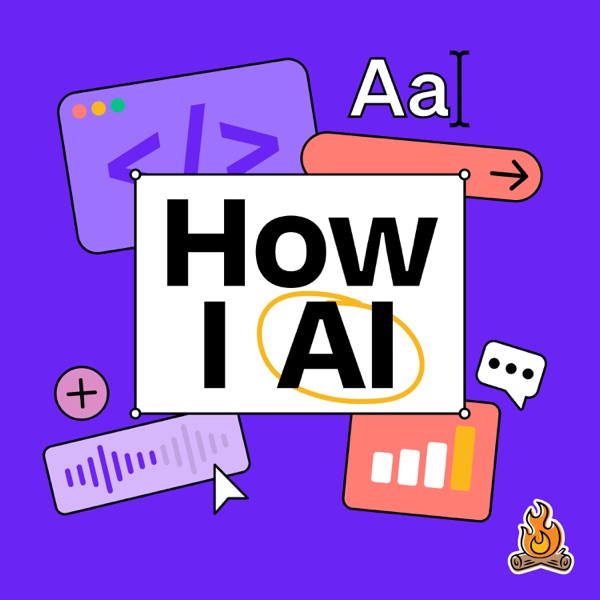
How I AI
How I AI, hosted by Claire Vo, is for anyone wondering how to actually use these magical new tools to improve the quality and efficiency of their work. In each episode, guests will share a specific, practical, and impactful way they’ve learned to use AI in their work or life. Expect 30-minute episodes, live screen sharing, and tips/tricks/workflows you can copy immediately. If you want to demystify AI and learn the skills you need to thrive in this new world, this podcast is for you.
- Technology chart
- #35
- Episodes
- 123
- Releases
- Twice a week
- Typical length
- 36 min
- On air since
- 2025
- Latest episode
- 1 day ago
Episodes
123 episodes, newest first
-
42 min
How Figma’s PMs actually use AI every day | Ezra Mechaber (PM, Figma)
Show notes
Ezra Mechaber is a growth product manager at Figma whose goal is to be “lazy in the right places.” When he joined Figma, he found almost no one outside engineering using AI to get real work done, so he and a couple of fellow PMs turned his personal Claude Code setup into PM OS, a shared repo of 31 skills that every PM at Figma now uses. In this episode, Ezra walks me through his favorite skills, how he bug bashes with Codex, AutoXP—an automated growth PM that found a huge win on its very first experiment—and a real-time writing assistant he built with Jev.
What you’ll learn:
• Why PM OS is a repo, not a product
• The skill Ezra runs six times a day to tame Slack
• How one repo keeps 60 to 70 PMs in sync
• Why his bug-bash agent catches things he never would
• How AutoXP runs experiments with one human checkpoint
• Why Jev took over every meeting he was in for two weeks
• What to do when you want to yell at your AI—
Brought to you by:
Optimizely—Your AI agent orchestration platform for marketing and digital teams
Jira Product Discovery—Prioritize with insights, build with confidence
—
In this episode, we cover:
(00:00) Episode preview
(00:51) Introduction to Ezra Mechaber
(02:04) The origin story of Figma’s PM OS
(06:30) PM OS demo: the “chief of staff” setup
(10:28) How the repo works: skills, hooks, and private sub-repos
(12:00) How the skills got built, roasted, and whittled down
(14:15) Build artifact, FigJam MCP, and coaching skills
(17:33) Transitioning from the terminal to a local web front end
(19:30) Bug bashing with Codex
(22:08) AutoXP: an automated growth PM
(26:26) Claire’s Experiment Engine backstory
(26:58) Building a real-time writing assistant with Jev
(33:15) Lightning round and final thoughts
—
Tools referenced:
• Figma: https://www.figma.com/
• FigJam: https://www.figma.com/figjam/
• Figma MCP server: https://developers.figma.com/docs/figma-mcp-server/
• Claude Code: https://www.claude.com/product/claude-code
• Codex: https://openai.com/codex/
• Cursor Automations: https://cursor.com/docs/cloud-agent/automations
• Jev: https://typesafe.ai/
• Marker: https://marker.page/
• Instinct: https://instinct.com/
• Dots: https://openai.com/index/introducing-dots/
—
Other reference:
• Jev for beginners: how to use it and what to build: https://www.lennysnewsletter.com/p/jev-for-beginners-how-to-use-it-and
—
Where to find Ezra Mechaber:
LinkedIn: https://www.linkedin.com/in/ezra-mechaber
Website: https://ezramechaber.com/
—
Where to find Claire Vo:
ChatPRD: https://www.chatprd.ai/
Website: https://clairevo.com/
LinkedIn: https://www.linkedin.com/in/clairevo/
—
Production and marketing by https://penname.co/. For inquiries about sponsoring the podcast, email jordan@penname.co.
-
35 min
Grok vs. Dot vs. Muse vs. Claude Duet: which one crushes the competition?
Show notes
I have personal-agent fatigue, so I ran the first How I AI personal-agent benchmark: Grok Bot, Dot, Muse, and Claude Duet across nine real tasks, from a Slack reply and a Sentry bug to a Figma thumbnail, inbox triage, a family newspaper, physics homework for a fourth grader, shoe shopping, and a ChatPRD launch video. I used computer use to operate them: Claude ran Dot, Codex ran the rest and scored the results live. Here’s the scoreboard—and which agent I’d actually trust for work vs. life.
—
Brought to you by:
WorkOS—Make your app enterprise-ready, with SSO, SCIM, RBAC, and more
Firecrawl—Give your AI agents web data and beyond
—
In this episode, we cover:
(00:00) Introduction
(02:13) The personal-agent benchmark setup
(05:00) The nine tasks and the prompts I used
(07:20) Scoreboard overview
(10:06) Task 1: Draft a Slack reply as me
(11:39) Task 2: Cut a short-form video from raw Dropbox footage
(14:56) Task 3: Fix a bug from Sentry
(17:30) Task 4: Build a How I AI thumbnail in Figma
(19:25) Task 5: Triage my inbox for to-dos
(21:06) Task 6: Build a family newspaper
(23:30) Task 7: Explain a physics homework question to a fourth grader
(24:54) Task 8: Shop for shoes
(26:46) Task 9: Make a ChatPRD Product Intelligence launch video
(30:01) Final scores
(32:38) My takeaways
—
Tools referenced:
• Grok Bot: https://x.ai/bot
• Dot: https://chatgpt.com/features/dots/
• Meta Muse: https://ai.meta.com/muse/
• Claude Duet: https://claude.com/product/claude-duet
• Codex: https://openai.com/codex
• ElevenLabs: https://elevenlabs.io/
• Figma: https://www.figma.com/
• Sentry: https://sentry.io/
• Linear: https://linear.app/
• Dropbox: https://www.dropbox.com/
—
Where to find Claire Vo:
ChatPRD: https://www.chatprd.ai/
Website: https://clairevo.com/
LinkedIn: https://www.linkedin.com/in/clairevo/
—
Production and marketing by https://penname.co/. For inquiries about sponsoring the podcast, email jordan@penname.co.
-
30 min
Why Reddit built its own AI prototyping tool | Blair Metcalf
Show notes
Blair Metcalf is the principal UX engineer at Reddit and the builder of Reddit Proto, the company’s in-house vibe-coding harness. With a design system MCP that maps Reddit’s product language to production code, Proto has reached 100% adoption across Reddit’s UX and product org, and more than 700 prototypes are live on it.
What you’ll learn:
• Why Reddit built its own prototyping harness
• How designers share prototypes with leadership safely
• Why real Reddit data beats mock data
• How one annotation becomes a code edit in Cursor
• What a “feature capsule” is
• Why Blair built a “Rosetta stone”
• Blair’s surprising fix when AI goes sideways
• Who turned out to be Reddit’s best prototypers—
This entire episode is brought to you by:
Firecrawl—Give your AI agents web data and beyond
—
In this episode, we cover:
(00:00) Introduction to Blair
(02:31) Reddit Proto demo
(09:15) Annotations to Cursor: the targeted edit workflow
(11:19) Internal deployment and adoption
(14:14) How leadership reviews and gives feedback
(15:52) Engineering handoff and the feature capsule
(17:50) How the custom MCP was built
(21:41) Quick recap
(24:55) Lightning round and final thoughts
—
Tools referenced:
• Cursor: https://www.cursor.com/
• Figma: https://www.figma.com/
• Figma MCP (Figma’s Model Context Protocol integration): https://www.figma.com/mcp-catalog/
• Code Connect (Figma’s code mapping tool): https://www.figma.com/developers/code-connect
• Gemini: https://gemini.google.com/
• ChatGPT: https://chatgpt.com/
• Vercel (referenced as inspiration for internal deploy infra): https://vercel.com/
—
Other references:
• Reddit: https://www.reddit.com/
• Kubernetes: https://kubernetes.io/
—
Where to find Blair Metcalf:
LinkedIn: https://www.linkedin.com/in/jblairmetcalf
—
Where to find Claire Vo:
ChatPRD: https://www.chatprd.ai/
Website: https://clairevo.com/
LinkedIn: https://www.linkedin.com/in/clairevo/
—
Production and marketing by https://penname.co/. For inquiries about sponsoring the podcast, email jordan@penname.co.
-
16 min
Claude Duet is beautiful. I still forgot to use it
Show notes
Anthropic's new personal agent, Claude Duet, lives on your phone, inherits all your Claude plugins and connectors, and is pitched at small business owners and busy professionals. It's the most polished agent launch I've seen: thoughtful onboarding, task lists, first-class artifacts, and Slack-style channels. But polish isn't enough when you're competing with every other personal agent for attention. I put it to work on my inbox and Slack, my sales pipeline, a Google Docs sales deck, a launch video, and finding Warriors tickets for my kids, and I'll walk you through what it nails, where it stalls, and what Anthropic needs to fix before it can become anyone's number one agent.
What you’ll learn:
• What Claude Duet is and who Anthropic built it for
• The design details that make it far more polished than other personal agent launches
• How task lists, artifacts, and channels work as agent primitives
• Why a “proactive” agent that never nudges you is a growth problem
• How model latency kills your willingness to work with an agent synchronously
• Where it fell short on real tasks, from inbox triage to sales decks to launch videos
• Why missing desktop and multiplayer support keeps it out of my working stack—
In this episode, we cover:
(00:00) Personal agent fatigue: does Claude Duet make the cut?
(00:40) What Claude Duet is and who it’s for
(01:39) Why the design polish stands out
(03:06) Task lists, artifacts, and channels
(04:53) The icon
(05:27) What I didn’t like: not proactive enough
(07:02) Testing it on email, Slack, and Warriors tickets
(07:41) Why latency matters so much in a personal agent
(10:20) The missing desktop app
(12:12) Sales pipeline and a Google Docs deck
(13:10) Launch videos and the local skills gap
(14:00) Single-player vs. multiplayer agents
(15:05) Final verdict
—
Tools referenced:
• Claude Duet (Anthropic): https://claude.com/resources/articles/claude-duet
• Claude Duet Waitlist: https://claude.com/product/claude-duet
• Claude Cowork: https://claude.com/product/cowork
• Meta Muse: https://muse.ai/
• Codex (OpenAI): https://openai.com/codex
• Grok Bot: https://x.ai/bot
—
Where to find Claire Vo:
ChatPRD: https://www.chatprd.ai/
Website: https://clairevo.com/
LinkedIn: https://www.linkedin.com/in/clairevo/
—
Production and marketing by https://penname.co/. For inquiries about sponsoring the podcast, email jordan@penname.co.
-
37 min
“Claude cuts my TikTok”: How this creator is scaling video with AI | Brooke Lacey
Show notes
Brooke Lacey has been making videos since before Facebook had video, and she built a TikTok audience of more than 290,000 by learning to cut short-form videos herself. With over 25 years in tech, she now builds her own apps, including Zosha, a free mobile app for learning AI. In this episode, Brooke walks me through the Claude Code, FFmpeg, and Whisper workflow that edits her TikToks in about 15 seconds, how she mines her comments for new scripts, and how she runs a weekly short-form operation with no editor.
What you’ll learn:
• How Claude Code edits a raw phone video on her computer in about 15 seconds
• How she taught Claude her jump-cut cadence
• Why her TikTok comments became her content brief
• How she keeps growing her audience while posting just once a week—and what’s next
• What over 25 years in tech taught her about this AI moment—
Brought to you by:
Firecrawl—Give your AI agents web data and beyond
Auros—The human network behind AI
—
In this episode, we cover:
(00:00) Intro and guest welcome
(02:30) Brooke’s background in video
(06:56) Her first session cutting videos with Claude Code
(08:51) Live demo: Claude edits a video in real time
(11:05) Walking through the edit chain
(15:58) How she taught Claude her cadence, her hooks, and what funny sounds like
(25:36) Quick recap
(26:20) Posting frequency, live streaming plans, and TikTok ads
(28:00) Lightning round: Gen X, wisened experience, and YOLO energy
(32:43) When Claude disappoints: the lane OS, status files, and how she prompts it back
(34:50) Where to find Brooke and the Zosha app
—
Tools referenced:
• Claude Code: https://claude.ai/code
• FFmpeg: https://ffmpeg.org/
• Whisper (OpenAI): https://openai.com/research/whisper
—
Other reference:
• How I AI episode with John Blackman (91-year-old vibe coder): https://www.lennysnewsletter.com/p/how-a-91-year-old-vibe-coded-a-complex
—
Where to find Brooke:
TikTok: https://www.tiktok.com/@brookejlacey
Zosha app: http://zosha.app/
—
Where to find Claire Vo:
ChatPRD: https://www.chatprd.ai/
Website: https://clairevo.com/
LinkedIn: https://www.linkedin.com/in/clairevo/
—
Production and marketing by https://penname.co/. For inquiries about sponsoring the podcast, email jordan@penname.co.
-
24 min
Meta’s new ‘Muse Wonder’ model: good for AI agents, bad for design
Show notes
I put Meta’s new Muse Wonder (and Wonder Full) frontier models through the How I AI bench, which covers nearly 20 tasks across prototyping, agentic workflows, coding, writing, and creative work. I scored everything with an LLM-as-a-judge pass and my own voice notes, then pulled together the first-look results you see here.
What you’ll learn:
• Why Meta’s “personal and professional agent” framing mostly holds up, and where it doesn’t
• What active focus mode actually does on long-running tasks, and whether it’s real
• The three agentic tasks where Muse ranked first, and why those categories matter
• What Muse’s design output actually looks like (it’s not good)
• How it compares to Sonnet on voice assistant tasks
• Where Muse lands on SVG and short-form video versus Opus 5.5, Astra, and Fable
• Whether I’m actually putting Muse into any of my agent workflows—
Brought to you by:
DX—Engineering intelligence for the AI era
Jira Product Discovery—Prioritize with insights, build with confidence
—
In this episode, we cover:
(00:00) Intro and what Muse Wonder is
(01:19) Meta's frontier capability claims
(04:36) Muse code
(06:06) Benchmark overview and how the How I AI bench works
(07:51) Overall results and TL;DR verdict
(11:53) Agentic tasks
(13:36) Email writing and voice assistant performance
(14:35) Where Muse falls short
(18:28) SVG illustration results
(19:33) Short-form video editing
(21:18) Fast on one-shot work, slow on agent tasks
(22:15) Final verdict and where I'll use Muse Wonder next
—
Tools referenced:
• Meta Muse Wonder / Muse Wonder Full: https://research.meta.ai/blog/muse-wonder
• Muse Code: https://developer.meta.com/ai/lp/muse-code—
Where to find Claire Vo:
ChatPRD: https://www.chatprd.ai/
Website: https://clairevo.com/
LinkedIn: https://www.linkedin.com/in/clairevo/
—
Production and marketing by https://penname.co/. For inquiries about sponsoring the podcast, email jordan@penname.co.
-
38 min
How Meta designed Muse: an AI agent people actually want to talk to | Alex Cornell (Design Director)
Show notes
Alex Cornell is a design director at Meta, where he leads design on Muse, Meta’s consumer AI agent. He came to the role with a long background in software product design, including time as a founder, and has spent the past year building one of the most thoughtful agent interfaces in the consumer AI space. Muse ships with a custom avatar, a three-layer status display, a personalized ideas surface, and a generative feed. Alex has been sharing the reasoning behind each of those design decisions publicly on Threads.
What you’ll learn:
• Why Alex built Muse to feel like messaging, not an AI app
• How Muse’s three-layer status system accommodates different levels of technical expertise
• What generative UI actually means in a shipped consumer product
• How Alex turned years of forgotten Instagram saves into a daily shopping catalog
• Why his mom apologized to her Muse, and what it means for AI design
• How he uses Muse to track his golf game, shot by shot, as he works toward a single-digit handicap
• The mindset shift designers need when the output is never pixel-perfect
• When to use the main chat versus a side chat, and where the architecture still falls short—
Brought to you by:
WorkOS—Make your app enterprise-ready, with SSO, SCIM, RBAC, and more
—
In this episode, we cover:
(00:00) Welcome and guest intro
(02:50) Designing Muse
(05:33) Choosing which primitives to surface: characters, ideas, feed
(08:50) Speed of model and response times
(11:01) Generative UI and personalization
(14:25) SkyMall demo: Instagram saves turned into a shopping catalog
(17:16) Shopping, monitoring, and price alerts with Muse
(19:07) Instagram and Pinterest connectors for visual data
(21:40) Golf use case: round recaps, shot data, practice breakdowns
(25:28) Main chat versus side chats
(27:56) Old blog turned morning podcast: 20 years of posts via the Wayback Machine
(29:39) Chess dashboard: game analysis with a snarky coach
(30:59) What designers need to learn for AI, and what still works
(34:33) Prompting strategy when Muse is being obstinate
(36:31) Where to find Alex
—
Tools referenced:
• Meta Muse: https://muse.ai/
—
Other references:
• The Wayback Machine: https://web.archive.org/
• Instagram: https://www.instagram.com/
• Pinterest: https://www.pinterest.com/
• Chess.com: https://www.chess.com/
• SkyMall/Sharper Image aesthetic: https://www.skymall.com/
—
Where to find Alex Cornell:
LinkedIn: http://linkedin.com/in/alex-cornell-5449a99
—
Where to find Claire Vo:
ChatPRD: https://www.chatprd.ai/
Website: https://clairevo.com/
LinkedIn: https://www.linkedin.com/in/clairevo/
—
Production and marketing by https://penname.co/. For inquiries about sponsoring the podcast, email jordan@penname.co.
-
36 min
How OpenAI uses ChatGPT Sites (live at DevDay!) | Kath Korevec (Product Lead)
Show notes
Kath Korevec is a member of the Product staff at OpenAI working on Codex, and she spent over a year building and using ChatGPT Sites internally before its public launch. She’s been on the front lines of shipping Plugin Insights, MCP plugin hosting, and the connector ecosystem, which now includes around 60 integrations.
What you’ll learn:
• What Plugin Insights actually does, and why it changes who can use a site
• The incident command site Kath built for her OpenAI team, and how it uses live Slack and Notion connectors
• The one phrase that tells Codex to wire up connectors for you
• The infrastructure layer inside Sites that most people haven’t touched yet
• How Kath fixed her Spotify after her kids wrecked it, using Reddit and computer use
• The skill distribution model behind her community dungeon crawler, and why it’s a new way to think about collaboration
• Why model speed is what actually determines how creative you get
• Where Kath draws a hard line on AI acting in her name—
Brought to you by:
Merge—Connective infrastructure for production AI
Vanta—Automate compliance and simplify security
—
In this episode, we cover:
(00:00) Welcome and intro
(01:00) Sites: internal testing and use cases
(05:53) Sites infrastructure
(09:00) Kath’s favorite connectors
(11:10) Unique ways to use Sites
(12:28) Curating a custom Spotify playlist
(15:50) Game design and development
(25:42) Bringing inference into Sites: the widget experiment
(30:00) Awesome Sites gallery
(31:57) Kath’s prompting strategy
(34:20) Wrap-up and how to find Kath
—
Tools referenced:
• ChatGPT Sites: https://chatgpt.com/sites
• OpenAI Codex: https://openai.com/codex
—
Other references:
• OpenAI DevDay: https://openai.com/devday
• Awesome Sites: https://awesomesites.ai/
—
Where to find Kath Korevec:
LinkedIn: https://www.linkedin.com/in/kathleensimpson/?isSelfProfile=false
—
Where to find Claire Vo:
ChatPRD: https://www.chatprd.ai/
Website: https://clairevo.com/
LinkedIn: https://www.linkedin.com/in/clairevo/
—
Production and marketing by https://penname.co/. For inquiries about sponsoring the podcast, email jordan@penname.co.
-
46 min
Jev: 8 real use cases for the fastest, cheapest model I’ve ever used | John Lindquist
Show notes
John Lindquist created egghead.io, a developer education platform used by hundreds of thousands of working engineers. These days he’s building mega.dev, a hands-on program specifically for developers who want to do real work with AI agents, not just prototype them.
What you’ll learn:
• Why Jev is a decision engine, not a chatbot, and what that distinction actually changes about how you build
• How John built a real-time voice to-do app that classifies and executes commands with no visible pause
• The data deduplication pattern that merges messy records in milliseconds using confidence scores
• Why Jev works best as a router, and how a single text input can navigate users deep into an app
• What a chess match between Jev and a low-reasoning LLM reveals about speed, cost, and when to use which
• The multi-step classification pattern John reaches for when one Jev pass isn’t enough
• Where Jev falls short, and when you should still reach for a full generative model—
Brought to you by:
Vanta—Automate compliance and simplify security
—
In this episode, we cover:
(00:00) John Lindquist returns for Jev week
(04:32) What Jev actually outputs
(06:15) Demo: real-time voice to-do app
(08:17) How sequential Jev calls chain together
(10:38) Demo: plain English to function name (grocery cart)
(11:50) Demo: data deduplication and record merging
(13:45) Confidence scores and multi-model validation
(15:06) Demo: Jev as a multi-level app router
(18:23) Architecting around Jev
(19:35) Demo: Jev vs. traditional LLM at chess (speed and cost benchmarks)
(24:29) DOM interactions as a decision set, not an infinite canvas
(28:21) Demo: Wikipedia “path to philosophy” route mapper
(30:28) Demo: multi-agent coordination and collision avoidance
(33:36) Demo: real-time presentation coach
(36:56) Quick recap
(39:54) Lightning round and final thoughts
—
Tools referenced:
• Jev (TypeSafe AI decision model): https://typesafe.ai/blog/introducing-system-one-models-and-jev
• Vercel AI Gateway: https://vercel.com/docs/ai-gateway
• OpenRouter: https://openrouter.ai/
• Opus 5.5 (mentioned in context of iterative demo building): https://www.anthropic.com/claude-opus-5-5
—
Where to find John Lindquist:
LinkedIn: http://linkedin.com/in/john-lindquist-84230766
X: https://x.com/johnlindquist
Mega.dev: https://mega.dev/
Egghead.io: https://egghead.io/
—
Where to find Claire Vo:
ChatPRD: https://www.chatprd.ai/
Website: https://clairevo.com/
LinkedIn: https://www.linkedin.com/in/clairevo/
—
Production and marketing by https://penname.co/. For inquiries about sponsoring the podcast, email jordan@penname.co.
-
24 min
OpenAI Dev Day 2026: The releases that actually matter
Show notes
I spent the day at OpenAI’s DevDay in San Francisco, and I have good news and bad news: OpenAI released a lot of stuff.
In this episode, I break down the announcements worth paying attention to - and show you what happened when I tested some of them early. We’ll meet my Dot, explore why Spaces and Sites could matter for how teams work, and get into the model and API updates I’m most excited about as a developer.
I use the Decisions API to find podcast thumbnails where nobody looks awkward, build a collaborative sketchpad with Astra ultrafast, and let my kids redesign a 3D world in real time. That last experiment cost about $97. My wallet has thoughts.
These are my early impressions: what’s promising, what still feels rough, and what I think you should try first.
What you’ll learn:
• What OpenAI’s Dots can do, how I’ve been using mine, and why I’m waiting to give a full verdict
• Why Spaces might be one of the most underhyped announcements for collaboration between humans and agents
• How Sites with connectors and plugins could help teams share internal tools with the right data permissions
• Where GPT-6.1 Sol fits in my model stack—and why speed and cost matter
• What vision adds to the Decisions API, including my thumbnail-selection and hot dog demos
• What Astra ultrafast makes possible for interactive AI apps, from collaborative drawing to a changing 3D game
• Where the speed feels magical, where the experience still needs work, and what it costs—
In this episode, we cover:
(00:00) OpenAI DevDay recap—and pressing the Codex reset button
(00:58) Dots: early impressions and rough edges
(06:57) Spaces: working with humans and agents
(10:37) Sites, connectors, and sharing internal tools
(13:06) Models and platform: GPT-6.1 Sol
(14:36) Decisions API: fast decisions with vision
(15:27) Finding better podcast thumbnails with AI
(16:29) Hot dog or not hot dog?
(17:17) Astra ultrafast: speed, pricing, and possibilities
(18:50) The Other Pencil: drawing alongside AI
(19:45) Little Starship: a 3D world you can change with a prompt
(21:24) The $97 AI game—and what it makes possible
(22:25) Agents API, computer use, plugins, and plan updates
(23:03) What I’d try first
—
Tools referenced:
• ChatGPT: Dots, Spaces, and Sites: https://chatgpt.com/
• Codex: https://openai.com/codex/
• OpenAI API — GPT-6.1 Sol, Decisions API, and Astra ultrafast: https://platform.openai.com/
• Jev: https://typesafe.ai/
—
Other references:
• OpenAI DevDay 2026: https://devday.openai.com/
—
Where to find Claire Vo:
ChatPRD: https://www.chatprd.ai/
Website: https://clairevo.com/
LinkedIn: https://www.linkedin.com/in/clairevo/
—
Production and marketing by https://penname.co/. For inquiries about sponsoring the podcast, email jordan@penname.co.
-
26 min
Jev for beginners: how to use it and what to build
Show notes
Jev is TypeSafe AI’s new decision model. It returns type-safe structured values (a choice, a score, a probability) instead of generated text, at 4 cents per million input tokens with no output charge. This week I ran it on five real projects: PR categorization, a meta-analysis of my own Claude and Codex sessions, Gmail triage, the ChatPRD product insights graph, and a live audience dashboard built from 4,500 YouTube comments.
What you’ll learn:
• What makes Jev fundamentally different from every other model I’ve used
• How I analyzed 1,700 PRs for 9 cents and what I found out about where my engineering effort actually went
• The personal meta-analysis you can run on your own Claude and Codex sessions right now
• Why I stopped using Jev alone, and what I pair it with now
• How I turned 4,500 YouTube comments into a searchable audience dashboard for almost nothing
• The real-time app I built in an afternoon that shows something surprising about Jev’s speed
• Why Jev’s pricing model is different from any LLM I’ve used, and what it makes practical to build
• The ChatPRD product insights project: 1,100 signals, 200,000 classifications, and what it cost me—
Brought to you by:
OpenArt—An all-in-one AI creation platform for images, videos, music, audio, and more
—
In this episode, we cover:
(00:00) Jev launch and what makes it different from every other model
(02:49) Type-safe values explained
(05:28) Understanding Jev outputs
(07:39) Use case 1: PR categorization and pairwise clustering
(11:12) Use case 2: analyzing your own local Claude Code and Codex sessions
(13:00) Use case 3: Gmail triage with Jev scoring and LLM follow-up
(14:30) Use case 4: ChatPRD’s product insights graph
(18:17) Demo: How I AI audience signal dashboard
(22:14) Demo: voice-to-color emotion-mapping app
(25:16) Jev week recap and what’s coming in episode 2
—
Tools referenced:
• Jev (TypeSafe AI): https://typesafe.ai/
• Vercel: https://vercel.com/ai
• GitHub API: https://docs.github.com/en/rest
• YouTube Data API v3: https://developers.google.com/youtube/v3
• OpenAI Realtime Voice API: https://platform.openai.com/docs/guides/realtime
• Gemini 3.5 Flash-Lite: https://ai.google.dev/gemini-api/docs/models/gemini-3.5-flash-lite
• API Ninjas Quotes API: https://api-ninjas.com/api/quotes
—
Where to find Claire Vo:
ChatPRD: https://www.chatprd.ai/
Website: https://clairevo.com/
LinkedIn: https://www.linkedin.com/in/clairevo/
—
Production and marketing by https://penname.co/. For inquiries about sponsoring the podcast, email jordan@penname.co.
-
39 min
Opus 5.5 vs. GPT-6 Sol: which model won my blind taste test?
Show notes
I got up early to record an Opus 5.5 review. Then Anthropic and OpenAI dropped new models on the same morning, and I decided to do something I’d never done before: take the How I AI bench live. I put GPT-6 Astra, GPT-6 Sol, Claude Opus 5.5, and more through the work I actually care about: emails, PRDs, frontend prototypes, backend work, long-running agents, SVGs, and video editing. I scored the outputs without knowing which model made them, so you get to watch me make predictions, change my mind, and reveal my own very inconsistent taste. Astra won my heart. Opus 5.5 won my week. Sol still has me split. There’s a creative result I got completely wrong, an LLM judge that disagreed with me, and a return to Barbie Bench: the 3D fashion game that keeps reminding me how far we have to go. The hands are tragic. AGI has not arrived.
What you’ll learn:
• How I run the How I AI bench blind, and what gets an output a bad score before I even know which model made it
• Why Astra won my heart while Opus 5.5 might be overall strongest, especially for long-running agents and B2B frontend
• Where Sol still wins me over on clear writing, readable PRDs, and price
• The character SVG results that completely overturned my prediction about Anthropic
• What happened when I asked these models to edit video, and why I think skills explain part of the disappointment
• Why an LLM judge disagreed with my rankings, and what it was rewarding that I wasn’t—
In this episode, we cover:
(00:00) LIVE setup and new model launches
(01:30) What’s new in Opus 5.5, Sol, and Luna
(04:11) Guardrails, personality, and speed
(09:00) The How I AI bench and blind evaluation process
(11:31) Email and personal-productivity results
(13:50) Frontend prototype vibe checks
(24:10) Backend, agent personality, and long-running tasks
(28:25) SVG illustration test
(29:48) AI video-editing results
(30:43) Predictions before the reveal
(31:20) Barbie Bench: the 3D fashion-game test
(34:17) Results: Astra, Sol, and Opus 5.5
(35:04) Writing clarity and creative surprises
(36:51) Why the LLM judge disagreed with me
(37:24) What each model is actually best for
—
Tools referenced:
• Claude Opus 5.5: https://www.anthropic.com/claude-opus-5-5
• GPT-6 Sol and Luna: https://openai.com/index/introducing-gpt-6-sol-and-luna/
• Codex (OpenAI): https://openai.com/codex
—
Where to find Claire Vo:
ChatPRD: https://www.chatprd.ai/
Website: https://clairevo.com/
LinkedIn: https://www.linkedin.com/in/clairevo/
—
Production and marketing by https://penname.co/. For inquiries about sponsoring the podcast, email jordan@penname.co.
-
25 min
I left Claude for months. Opus 5.5 is why I'm back
Show notes
I’ve been off Claude for months. Not because it got dumb, but because it got annoying. The rambling, the hedging, the preachy little disclaimers on tasks that didn’t need them. I moved most of my daily work to Codex and I didn’t miss it. Then Anthropic shipped Opus 5.5: 40% cheaper than Opus 5, faster, and with what they’re calling a fundamentally different alignment approach. I ran it for a week across real work, including four long-running agentic tasks, a full ChatPRD homepage redesign, an SVG benchmark, and one very firm refusal, and I’m ready to give you the honest verdict. There’s a lot to like. There are still two things that drive me a little crazy. And there’s one capability I genuinely wasn’t expecting.
What you’ll learn:
• Why I walked away from Claude entirely, and what it took for me to come back
• The real cost math on Opus 5.5 and why pricing matters more for agentic work than single prompts
• What happened when I ran four long-running agentic tasks, including one that tried to manipulate Claude mid-run
• Why Opus 5.5 is now my go-to for frontend prototyping, and where it still lets me down
• The one capability I genuinely didn’t see coming, and no other model in my stack can match it
• The moment Opus 5.5 told me flat-out no, and what that says about where Anthropic’s safety posture actually lands in practice
• Where Codex still wins, and how I’m splitting my model stack after a full week of testing—
In this episode:
(00:00) Why I stopped using Claude
(01:02) What Anthropic says Opus 5.5 is
(01:54) Cost, speed, and benchmark overview
(03:20) Safety, alignment, and the cybersecurity limits
(05:02) How I AI bench
(05:39) Voice test: is it actually not annoying?
(07:54) Long-running agentic task results
(10:50) Frontend prototyping
(17:23) Writing voice and email
(19:41) SVG illustrations
(20:46) Video editing
(21:42) My verdict: what it’s good at, what it still isn’t
—
Tools referenced:
• Claude Opus 5.5: https://www.anthropic.com/claude-opus-5-5
• ElevenLabs MCP connector: https://elevenlabs.io/mcp
• Codex (OpenAI): https://openai.com/codex
—
Where to find Claire Vo:
ChatPRD: https://www.chatprd.ai/
Website: https://clairevo.com/
LinkedIn: https://www.linkedin.com/in/clairevo/
—
Production and marketing by https://penname.co/. For inquiries about sponsoring the podcast, email jordan@penname.co.
-
47 min
How Warp ships 2,000 PRs a month with AI factories | Zach Lloyd (CEO, Warp)
Show notes
Zach Lloyd is the co-founder and CEO of Warp, an AI-powered terminal and software factory platform used by tens of thousands of engineers. Before Warp, he spent nearly a decade at Google, including time as a principal engineer on Google Sheets. He built Warp from the ground up as a modern, AI-native alternative to legacy terminals, and the team has since expanded into software factories: a full cloud-based system that takes an idea in Slack all the way through to a merged PR.
In this episode:
• Why a software factory is more than a coding agent
• The public Slack → Linear → GitHub → QA workflow
• Human interactions per PR as a signal of automation and throughput
• Why human review is still the bottleneck
• Scoring agent runs, finding failure modes, and self-improving agent workflows
• Replaying real tasks to choose model cost and quality tradeoffs
• CEO workflows with Figma MCP, Granola, and research agents—
Brought to you by:
DX—Engineering intelligence for the AI era
OpenArt—An all-in-one AI creation platform for images, videos, music, audio, and more
—
In this episode, we cover:
(00:00) Intro
(02:35) Warp’s AI software factory, Wilson
(09:23) Automatic factory triggers
(11:12) The engineering leader dashboard Zach wishes he’d had
(15:18) How code review is changing in an AI factory
(17:08) Tracking cost per PR across model configs
(18:47) Using LLM-as-a-judge to score every agent run
(20:02) Catching redundant tests
(22:19) How the factory self-improves from failed runs
(26:03) Quick recap
(28:33) Building a cost-quality Pareto chart for model selection
(31:35) How Zach uses AI for non-technical CEO work
(32:10) Figma MCP demo
(35:43) Granola MCP demo
(36:41) GOG CLI demo
(38:20) Thinking in parallel tasks instead of sequential ones
(40:42) Zach’s prompting strategy for factory tasks
(44:48) Where to find Zach
—
Tools referenced:
• Warp (AI terminal and software factories): https://warp.dev/
• Warp Factories:https://warp.dev/factories
• Linear (project and issue tracking): https://linear.app/
• GitHub (version control and PR management): https://github.com/
• Slack (team communication and factory input layer): https://slack.com/
• Sentry (crash reporting and automated issue triggers): https://sentry.io/
• Figma (design, used via Figma MCP): https://figma.com/
• Granola (AI meeting notes and MCP integration): https://granola.so/
• Grok Bot (fast inference, cost/quality trade-off): https://x.ai/bot/guides/grok-bot-101
—
Where to find Zach:
X: https://x.com/ZachLloydTweets
—
Where to find Claire:
ChatPRD: https://www.chatprd.ai/
Website: https://clairevo.com/
LinkedIn: https://www.linkedin.com/in/clairevo/
—
Production and marketing by https://penname.co/. For inquiries about sponsoring the podcast, email jordan@penname.co.
-
37 min
Muse review: The personal AI agent that gets consumer UX right
Show notes
I spent a few hours putting Meta’s Muse, its new personal AI agent, through a real first-pass test: onboarding, calendar management, goal setting, a one-shot family morning newsletter, browser-based shopping, and the animated avatar that honestly surprised me.
What you’ll learn:
• Why Muse is the best-designed personal agent I’ve tested, and what specifically made it feel that way
• The one-shot family PDF Muse produced that Claude and Codex never quite nailed
• How Muse’s permission model works, and why it’s different from every other agent I’ve used
• Why I set up a sleep training goal in Muse, and what it revealed about agent tone
• The activity feed feature I immediately wished Codex and Claude Code had
• Where Muse failed, and what it says about the limits of this category right now
• The animated avatar decision that showed me what top-of-craft AI product design actually looks like—
Brought to you by:
Optimizely—Your AI agent orchestration platform for marketing and digital teams
OpenArt—An all-in-one AI creation platform for images, videos, music, audio, and more
—
In this episode, we cover:
(00:00) What Muse is and who it’s actually built for
(04:41) Signing in and the onboarding flow
(07:16) The activity feed and its task lineage
(08:24) First real task: managing the family calendar and deleting soccer practice
(09:48) Requesting a morning newsletter PDF
(14:29) The personalized news feed and how I set it up
(16:05) The “Ideas” feature as an out-of-the-box prompt library
(17:10) Setting up personal goals (water, shoes, and sleep training)
(21:40) Library: documents, websites, images, videos, and podcasts
(23:11) Quick recap and what I love
(23:56) Activity feed design deep dive: tool calls and step-by-step lineage
(25:18) How Muse handles permissions
(26:12) The animated avatar: Polly becomes Slime, the teal dragon
(29:34) Browser use test: shopping for New Balance 9060s (not great)
(31:15) Browser use test 2: buying IMAX tickets for The Odyssey (much better)
(33:34) TL;DR and what I’ll actually use Muse for going forward
—
Tools referenced:
• Muse: https://muse.ai/
• Stripe Link (payment method featured in Muse): https://link.com/
• 1Password (future Muse integration mentioned): https://1password.com/
• OpenClaw (Claire’s previous personal agent setup): https://openclaw.ai/
• Grok Bot (Grok-based agent from prior stack): https://x.ai/news/introducing-grok-bot
• Codex (OpenAI coding agent, comparison point): https://openai.com/codex
• NotebookLM (Google, comparison to Muse’s podcast generation): https://notebooklm.google.com/
—
Where to find Claire Vo:
ChatPRD: https://www.chatprd.ai/
Website: https://clairevo.com/
LinkedIn: https://www.linkedin.com/in/clairevo/
—
Production and marketing by https://penname.co/. For inquiries about sponsoring the podcast, email jordan@penname.co.
-
42 min
How Grok Bot designers use AI agents to build personal sites and product prototypes | John Bai & Peng Zheng
Show notes
John Bai and Peng Zheng are designers on the Grok Bot team at SpaceXAI, where they’re building one of the most talked-about AI products right now. John writes publicly about his design process (his piece “Designing Grok Bot with Grok Bot” has already made the rounds) and shares bot templates with the design community. Peng brings a product-design sensibility to personal tools, and his website doubles as a live demo of what he builds.
What you’ll learn:
• How Peng built a self-updating personal website using Grok Bot as the entire backend pipeline, with no CMS and no Figma file
• The exact check-in bot setup that lets Peng send a photo or a place name and have his portfolio update itself automatically
• How John’s Figma Bro bot handles production design tasks while he’s at the gym
• How John uses voice memos to direct Figma work through an MCP connection without opening his laptop
• The “shower thought to prototype” workflow John uses with DevBot to test interaction ideas without first going through a product manager or engineer
• The “trash can method” of software development
• How both designers organize their personal bot ecosystems
• What John and Peng actually think AI means for the future of design as a craft—
Brought to you by:
WorkOS—Make your app enterprise-ready, with SSO, SCIM, RBAC, and more
Vanta—Automate compliance and simplify security
—
In this episode, we cover:
(00:00) Introducing John and Peng
(02:53) The Grok Bot hype train
(04:35) Peng’s self-updating personal website built with Grok Bot
(15:12) How AI makes design more accessible
(19:35) Website update result
(20:13) John’s Figma Bro bot
(23:35) Creating marketing materials for the bot marketplace
(26:00) DevBot: from shower thoughts to working prototypes
(28:48) The trash can method of software development
(31:19) Other bots John and Peng are using
(39:05) Practical tips for when bots don’t do what you want
—
Tools referenced:
• Grok Bot (xAI): https://x.ai/bot
• Figma: https://www.figma.com/
• Figma MCP server: https://www.figma.com/mcp-catalog/
• Google Places API: https://developers.google.com/maps/documentation/places/web-service
• Notion: https://www.notion.so/
• Swarm (Foursquare): https://www.swarmapp.com/
—
Other references:
• Designing Grok Bot with Grok Bot: https://x.ai/bot/guides/designing-grok-bot-with-grok-bot
• Figma Bro bot template (shared by John Bai): https://x.ai/bot/marketplace/bots/figma-bro
• From zero coding background to hardware hacker: How Cursor + a Raspberry Pi makes AI fun: https://www.lennysnewsletter.com/p/from-zero-coding-background-to-hardware
—
Where to find John and Peng:
John Bai on X: https://x.com/johnbai
Peng Zheng on X: https://x.com/pengzheng_
—
Where to find Claire Vo:
ChatPRD: https://www.chatprd.ai/
Website: https://clairevo.com/
LinkedIn: https://www.linkedin.com/in/clairevo/
—
Production and marketing by https://penname.co/. For inquiries about sponsoring the podcast, email jordan@penname.co.
-
50 min
Build your own company brain: the enterprise AI playbook from Stripe’s engineering team | Sharadh Krishnamurthy
Show notes
Sharadh Krishnamurthy is an engineering manager at Stripe, where he helped build Kai, the company’s internal AI agent used by more than 10,000 employees every week. He’s worked across several of Stripe’s core infrastructure teams, including data and developer experience, which gives him a grounded, systems-level perspective on what it actually takes to make AI work at enterprise scale. He’s currently focused on the governance, skills, and infrastructure layers that let every Stripe employee use AI safely and effectively, regardless of their technical background.
What you’ll learn:
• Why Stripe built Kai from scratch instead of buying, and what tipped the decision
• What Kai knows about you by default and what you actually control
• Why “projects” at Stripe are a governance mechanism, not just a folder
• How Stripe structured its data layer so agents can query safely at scale
• Why the infrastructure Stripe built for human developers turned out to be exactly what agents needed
• How Kai’s skills platform lets any employee package a workflow, and what happens when you have 2,000 of them
• What Sharadh learned the hard way when agents nearly took down production systems—
Brought to you by:
DX—Engineering intelligence for the AI era
Hyperagent—Deploy fleets of agents that handle real work
—
In this episode, we cover:
(00:00) Introducing Sharadh
(02:46) Why Stripe built an AI agent (Kai) instead of buying tools
(05:18) What Kai knows about you (and what you can turn off)
(06:51) Projects as a governance layer
(10:04) Live demo: Kai builds a dashboard
(12:18) Tools, skills, and the secure sandbox
(17:22) Why Stripe has benefited so much from AI
(19:20) Agentic identity, load shedding, and rogue agents
(20:41) Iterating on the dashboard
(25:01) How they rolled out Kai across the team
(29:07) How projects work
(34:18) Bespoke agents for bespoke use cases
(35:58) The skill builder workflow
(40:40) Skill quality, evals, and telemetry
(43:01) Recap
(45:13) Lightning round
—
Tools referenced:
• Trino: https://trino.io/
• Anthropic: https://www.anthropic.com/
• Gemini: https://gemini.google.com/
• Cursor: https://www.cursor.com/
—
Where to find Sharadh Krishnamurthy:
LinkedIn: https://www.linkedin.com/in/sharadhk
—
Where to find Claire Vo:
ChatPRD: https://www.chatprd.ai/
Website: https://clairevo.com/
LinkedIn: https://www.linkedin.com/in/clairevo/
—
Production and marketing by https://penname.co/. For inquiries about sponsoring the podcast, email jordan@penname.co.
-
32 min
GPT-6 Astra is a banger - here’s everything I’ve built
Show notes
I got early access to GPT-6 Astra: when I say this model broke through tasks I couldn’t crack with 5.6 Sol or Fable, I mean it specifically: the ChatPRD product intelligence feature, building 3D games, the hardware hack, and a handful of one-shot coding projects I’d tried and failed on repeatedly.
What you’ll learn:
• Why Astra’s computer use feels different, and which production tools I’m trusting it with
• The one feature I’d thrown every model at for six months, and what finally got it to 90%
• How I’m using browser use for QA, not building, and what it found that I would’ve missed
• Why I think UI is genuinely back, and what that means for SaaS and MCPs
• The hardware hack I’d been chasing since GPT-5.5, and how Astra finally cracked it
• What Astra built me in Blender in one shot, and why 3D is my new capability benchmark
• The AIM-style Mac app Astra made in one shot, and what it signals about desktop development now
• An honest take on speed, cost, and whether Astra is worth making your daily driver—
In this episode, we cover:
(00:00) GPT-6 Astra overview
(03:44) Browser/computer use test on my CRM
(09:08) Flora thumbnail generation
(13:00) Browser use for QA
(15:20) Coding: ChatPRD product intelligence feature, finally one-shotted
(18:36) Hardware hack: Divoom MiniToo CLI and live streaming display
(22:23) Building an AIM-style Mac app
(24:24) Blender and 3D assets: Barbie Bench and the kids’ family app
(28:52) Summary: what Astra is great at and what to try first
—
Tools referenced:
• GPT-6 Astra: https://openai.com/index/gpt-6-astra/
• Codex: https://openai.com/codex
• Flora (node-based AI image/video editing): https://flora.ai/
• Figma: https://www.figma.com/
• Blender: https://www.blender.org/
• GPT Image 2: https://developers.openai.com/api/docs/models/gpt-image-2
• Divoom MiniToo: https://divoom.com/products/minitoo
• cxo.dev: https://www.cxo.dev/
—
Where to find Claire Vo:
ChatPRD: https://www.chatprd.ai/
Website: https://clairevo.com/
LinkedIn: https://www.linkedin.com/in/clairevo/
—
Production and marketing by https://penname.co/. For inquiries about sponsoring the podcast, email jordan@penname.co.
-
36 min
Grok Bot vs. OpenClaw: How I replaced my entire agent stack
Show notes
I’m running about 30 active agents at any given moment, and in this episode I break down my full Grok Bot setup: what it is, how it compares to OpenClaw, and the nine bots I’ve built for work and my personal life. We go deep on Chief (my chief-of-staff bot sweeping six inboxes and multiple Slack workspaces), TradBot (the family agent that prints a kitchen-table newspaper for my kids), two engineering bots handling my PR queue and SOC 2 compliance monitoring, Holly Helpdesk, and a handful of personal bots I didn’t expect to actually love. I also walk through how I migrated everything from OpenClaw, including the script I used to export and transplant each agent’s identity and schedule.
What you’ll learn:
• The three primitives Grok Bot is built on, and why one of them changes what agents can actually do
• How Chief, my general-purpose chief of staff, handles a scope I didn’t think a single bot could manage
• The writing quirk I noticed immediately with the Grok model, and what I did about it before letting it near my inbox
• Why I created a family agent, what it produces every morning, and the design principle I used that has nothing to do with a screen
• The two engineering bots doing work I used to do myself, and how one of them handles compliance in a way that surprised me
• How Holly Helpdesk started getting five-star reviews from customers who had no idea they were talking to a bot
• The personal bots I built mostly on a whim, and the one I now look forward to every Monday morning—
Brought to you by:
WorkOS—Make your app enterprise-ready, with SSO, SCIM, RBAC, and more
Hyperagent—Deploy fleets of agents that handle real work
—
In this episode, we cover:
(00:00) Why I migrated from OpenClaw to Grok Bot
(02:10) Grok Bot overview: the three core primitives
(07:41) Chief: my chief-of-staff bot
(11:51) OpenClaw vs. Grok Bot
(12:41) TradBot: my family agent
(19:51) LGTM the PR Closer
(22:03) Lockdown: SOC 2 control monitoring bot
(24:00) Holly Helpdesk: customer support
(26:58) Penny Pincher: subscription audit, insurance negotiation, Rolex shopping
(29:37) ShopZilla and Sylvie Style: personal shopping and wardrobe bots
(32:54) How to migrate your OpenClaws
(34:26) Final take
—
Tools referenced:
• Grok Bot (SpaceXAI multi-agent platform): https://x.ai/news/introducing-grok-bot
• OpenClaw (previous agent platform): https://openclaw.ai/
—
Where to find Claire Vo:
ChatPRD: https://www.chatprd.ai/
Website: https://clairevo.com/
LinkedIn: https://www.linkedin.com/in/clairevo/
—
Production and marketing by https://penname.co/. For inquiries about sponsoring the podcast, email jordan@penname.co.
-
46 min
How I turned Claude into a self-improving PM assistant | Daniel Blum (PM, Melio)
Show notes
Daniel Blum is a product manager at Melio, a B2B payments company, and one of the most systematic thinkers I’ve had on the show when it comes to personal AI infrastructure. He’s spent the past year building a Claude- and Cowork-based productivity system that manages his Notion board, processes his Slack and email, and runs self-improvement loops every week without needing to be prompted. Beyond his own workflow, Daniel built and scaled a “Workstation” onboarding plugin that gets any Melio employee up and running with a personalized Claude setup in about 15 minutes.
What you’ll learn:
• Why Daniel says the two rules that make any AI system powerful aren’t about the tool you pick
• How his weekly prep automation fills an entire Notion board from scratch every Sunday, without his touching it
• The morning brief feature that teaches Claude new internal terms on its own, so company jargon never slows it down
• Why he describes Notion as “read-only” now, and what that says about how PM workflows are changing
• The self-improvement loop that watches Daniel’s edits, spots recurring friction, and suggests new skills to build
• How he uses a skill called “Improve” to filter the endless flood of AI tips without drowning in them
• What he built to scale his personal system to every PM at Melio, and the UX lesson he learned the hard way
• The capability gap that’s still keeping him from running 100% of his work through Claude—
Brought to you by:
Optimizely—Your AI agent orchestration platform for marketing and digital teams
Jira AI SDLC—Get your tokens’ worth with Jira
—
In this episode, we cover:
(00:00) Daniel’s background and the PM overhead problem he needed to solve
(03:30) His AI stack at Melio
(05:00) The two rules that make any AI system genuinely powerful
(06:00) The Notion board Cowork built for him (and manages on his behalf)
(07:30) How he contextualizes Claude with voice memos, links, and recurring updates
(09:00) His weekly prep automation
(11:00) His morning brief
(15:00) How Claude flags unknown internal terms and saves them to context
(17:30) Running 70% to 80% of his workday through Cowork
(19:00) Chrome connector vs. MCPs for tools without integrations
(20:00) The real ROI question: why the early weeks feel slow, and why you push through anyway
(25:00) Scaling the system to the team with the Workstation plugin
(26:30) The self-improvement loop
(31:00) How the Improve skill separates actually useful AI tips from the hype
(32:00) The Workstation onboarding flow, and the UX lesson from distributing “Spectacular”
(38:00) The 20% Claude still can’t do, and what changes when it can
(41:00) What Daniel spends his reclaimed time on
(42:30) Claude rage
—
Tools referenced:
• Claude: https://claude.ai/
• Notion: https://notion.so/
—
Other references:
• From a $6.90 newsletter to $3M API: How a non-coder built Memelord | Jason Levin: https://www.lennysnewsletter.com/p/from-a-690-newsletter-to-3m-api-how
• How the founder of Morning Brew built a Claude content machine that never runs out of ideas and never sounds like slop | Alex Lieberman: https://www.lennysnewsletter.com/p/how-the-founder-of-morning-brew-built
—
Where to find Daniel Blum:
LinkedIn: https://www.linkedin.com/in/blumd/
Website: https://www.imdanielblum.com/
—
Where to find Claire Vo:
ChatPRD: https://www.chatprd.ai/
Website: https://clairevo.com/
LinkedIn: https://www.linkedin.com/in/clairevo/
—
Production and marketing by https://penname.co/. For inquiries about sponsoring the podcast, email jordan@penname.co.
Technology lists
More Technology shows picked out from the charts





More in Technology
Placed highest on Apple Podcasts' Technology chart right now